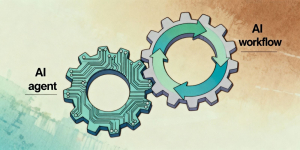

Running an enterprise without AI tools feels like staying behind the competitors. It’s not just the hype now – companies can see real benefits. The doubt that many have is, how do you start?
Deciding where to begin is not nearly as straightforward as it sounds. The challenge is knowing where to begin. Some people lean toward a ready-made SaaS agent because it is quick to try. Others think about building something custom so the system fits the way their business already runs.
Both options have their own logic. A SaaS tool can be switched on almost immediately, which is helpful when a team just wants to test the idea and see value early. A custom build takes longer, but it can follow the company’s unique rules and workflows without forcing anyone to change how they work.
This article breaks down the real differences between these two options. We look at where SaaS shines, when custom AI becomes the smarter choice, how much each one costs, and what the rollout actually looks like once it hits real workflows.
What Is a Saas AI Agent
A SaaS AI agent is a cloud-based AI system that businesses can use without building or training their own model. It comes as a ready-made service that provides intelligent assistance, all through a subscription model, just like your regular Google Workspace or Salesforce. The vendor maintains the infrastructure, updates, security, and model improvements.
This agent is more like a ready-to-go helper than a full project. You get access to it, link it with the tools your team already works with, and it begins taking care of small tasks almost immediately. There is no long setup, no heavy planning, just a tool that slips into the workflow and starts doing the routine work you usually don’t have time for. There is no need to assemble an engineering team or plan a big tech rollout. It feels more like adding a new app than launching a complex AI project.
These ready-made agents fit naturally in the places where teams tend to get bogged down. Support desks often use them to handle the questions that show up again and again. Operations teams rely on them to sort documents, pull out useful details, or route information to the right person. Even simple things like answering internal questions or moving data from one system to another become less of a daily chore.
What draws many companies to this model is the simplicity. You do not have to wait months to see results. The setup is quick, the learning curve is light, and the cost is usually just part of a monthly subscription. For a lot of teams, that combination is enough to get AI into real work without turning it into a major initiative. A company can test a Saas AI agent in a real workflow within a day and see whether it helps. There is no heavy setup and onboarding, no custom infrastructure, and no long wait before value appears. For many teams, that speed is the deciding factor.
What SaaS AI Agents Do Well
A SaaS AI agent has the same advantage as buying a ready-made pair of pants instead of having one sewn from scratch. Just like new pants, off-the-shelf AI tools can be brought into everyday use very quickly. A team can sign up, connect the tool to their system, and watch it begin handling small tasks almost immediately. There is very little configuration required and most of the technical work is already handled by the provider.
SaaS agents also excel at automating common workflows that look the same across different companies. This includes customer support greeting flows, basic document checks, or answering internal questions such as “Where do I find this file” or “How do I submit this form”. Because the software is already trained for these scenarios, it delivers value right away.
Another advantage is maintenance. Updates, improvements, and security fixes come automatically from the provider. The business does not have to worry about retraining models or managing servers. Teams simply continue working while the tool gets better in the background.
You can see the value of these tools in everyday situations. A chatbot can handle the first round of questions before a support agent steps in. Another tool can look through incoming documents and sort the ones that are ready for review from the ones missing details. Some teams use simple internal assistants that answer common questions so people don’t have to disturb a coworker for every small thing. It’s not about revolutionizing your business ops: it’s about saving time here and there and having less friction-related stress.
SaaS AI Agents vs Custom AI Solutions
When companies think about these two directions, the discussion often ends up in the same places. How fast can we get this running? What will it actually cost us? How much control do we want over the way the system works? AI Agents for SaaS tend to feel like practical add-ons you can plug in without turning your whole setup upside down. You link them to the tools you already use, and they begin helping with routine tasks without much preparation.
A custom AI system works differently. Again, let’s compare it to tailored clothes… Taking measures, fitting, and sewing take time. A custom AI solution has to be built around the company’s own processes, rules, and data, which naturally takes more time. The investment pays off, as custom tool is more flexible and can be changed easily, but the initial work is heavier.
Here is a straightforward way to compare what separates the two options:
- Setup time. SaaS tools go live quickly, sometimes within a day. Custom builds take weeks or months.
- Cost. SaaS runs on a subscription. Custom development has a higher upfront price but may pay off long term for complex needs.
- Data control. SaaS stores or processes data on the provider’s infrastructure. Custom solutions keep everything under your control.
- Customization. SaaS is flexible but limited by the template. Custom can handle unique requirements from the ground up.
- Integration depth. SaaS connects easily to common CRMs and apps. Custom systems dig deeper into internal platforms and legacy software.
- Long-term scalability. SaaS scales automatically but follows the provider’s roadmap. Custom solutions grow exactly in the direction you choose.
A good example of how a SaaS AI agent works in real life comes from Deutsche Telekom. The company uses an internal AI assistant called “askT” that helps employees find information, resolve basic issues, and move through routine tasks without waiting for human support. According to reporting by The Wall Street Journal, about ten thousand employees use the agent every week. The assistant answers all sorts of small questions that pop up during the day and keeps work moving without the usual back-and-forth. With the repetitive chores handled, staff have more time to deal with the situations that actually need a person’s attention.
Most companies start with SaaS because it is fast and reliable. They move to custom AI only when they outgrow the boundaries of the ready-made version.
When Do You Need Custom AI Solutions

There are moments when a business realizes that an off-the-shelf AI tool can only go so far. That is where custom AI solutions come in. These systems make sense when the workflow is too specific or when the rules you follow do not match a standard template.
Some cases are clear from the beginning. Complex underwriting processes in insurance. Medical compliance tools that must follow strict regulations. Logistics companies that rely on advanced demand forecasting. Or internal copilots that need to understand very particular business logic and proprietary data. These are all areas where a generic SaaS agent simply cannot deliver the precision required.
The advantage of building a system tailored to your company is the level of control it gives you. The AI can learn from your own data, follow the rules your industry demands, and integrate deeply into every part of your platform. It also tends to age well. Because it is designed around your workflow, it can evolve as the business grows and pick up new capabilities without relying on a vendor’s roadmap.
Custom AI is not the fastest or cheapest path at the beginning, but for specialized companies, it becomes the foundation for long-term automation and innovation.
Cost Breakdown: SaaS AI vs Custom AI Development
The money question often becomes clearer once you look past the buzz and think about how these tools actually live inside a business. With SaaS, costs sit mostly in the subscription. You pay for access and, in some cases, for usage. It feels a lot like paying for any other cloud tool. Updates, hosting, security, and improvements come from the provider, so the hidden expenses are low. For teams that want fast Automation Workflows without hiring developers, this setup makes life easier.
Custom AI development is the opposite story. Most of the work, and most of the spending, happens early. You cover the build, any model fine-tuning, the integrations, and the infrastructure behind it. Later, there are upkeep costs that come with owning the system. That is why AI agents cost can vary wildly depending on how specialized the workflow is. A simple assistant is one thing, but a deep underwriting engine or a regulatory automation layer is something else entirely.
Over time, the total cost depends on how specific your needs are. SaaS is usually the cheaper path when the workload is straightforward and similar to what other businesses do. Custom AI becomes the more sensible option when your process is unique, your data requires tight control, or you want something that goes far beyond what a subscription tool can offer. For some companies, that long-term control ends up being worth more than the initial build.
How Long Does It Usually Take to Deploy SaaS AI or a Custom Build
The amount of time it takes to get an AI tool running depends on how much you need to shape it. With a SaaS option, things tend to move quickly. Someone on the team connects it to your existing software, tries a few simple tasks, and it is often usable the same day. You can get a feel for how it behaves right away, especially with tools like an AI Assistant or an AI Voice Agent, since the heavy technical work has already been done by the provider.
Custom builds have a very different rhythm. They start slower because you need to understand how your current process works before you can teach it to a system. That usually means collecting data, talking to people who run the workflow, sorting out the edge cases, and then building the pieces one by one. Integrating the new AI with older internal tools can also stretch the timeline. For some companies, especially in regulated industries, that careful setup is necessary just to make sure everything fits together without disrupting daily work.
Most teams do a small test before rolling anything out widely. A proof-of-concept lets a few people use the new system during their regular day and see what actually helps. Those early moments often reveal more than any plan on paper. Sometimes the AI fits naturally and the rollout moves faster. Sometimes the early test goes well, and sometimes the team spots a few things that still feel rough around the edges. That is normal. Those first impressions usually tell you far more than anything you’ve been planning before. The small trial run is often the key to deciding how fast the larger rollout should move and whether the system is ready for more people to use it.
Scalability and Future Growth
One of the biggest differences between a ready-made SaaS tool and a custom build shows up once the business begins to grow. A SaaS solution usually scales without much effort from your side. With a SaaS system, the technical side of growth rarely becomes your problem. As your team handles more cases or your client base expands, the service usually adjusts in the background. You do not have to think much about servers or capacity. The only limitation is that you follow whatever direction the platform moves in. If your business suddenly needs something unusual and the provider has not built it yet, you may end up waiting or patching it together in a temporary way.
A custom setup feels different. It can stretch and change as your company evolves because it was built with your own processes in mind. When you need a new feature or want your system to tap into another data source, you can do it without depending on anyone’s roadmap. It does mean you take on more responsibility. Someone on your team has to maintain it and watch over it, but in exchange you gain the freedom to let the system grow in the same direction your business is heading.
The right choice depends a lot on where the company is in its journey. Smaller teams often benefit from the simplicity of SaaS. Larger organizations, or those with unusual internal processes, usually get more value from an AI that can expand exactly in the direction they need.
Decision Checklist: SaaS AI Agent or Custom AI
If you are still weighing the options, this quick checklist can help clarify which direction makes more sense:
- Budget – Do you prefer a monthly subscription or an upfront investment.
- Urgency – Do you need something running this week or can you wait for a tailored system.
- IT resources – Do you have a team that can support custom development.
- Data sensitivity – How important is full control over where your data lives.
- Workflow complexity – Are your processes standard or highly specific.
- Integration needs – Do you rely on legacy systems that require deep integrations.
- Long-term strategy – Will you eventually need an AI that grows far beyond what a generic tool can offer.
- Cases of AI Agents – Look at real examples from similar companies and see which approach delivered the best practical results.
Choosing between SaaS and custom AI depends a lot on what your business is trying to achieve right now and how much change it can handle at once. Some companies lean toward whatever gets them moving fast, especially when they do not have a big technical team behind them. Others prefer a system that bends to their own way of working, even if it takes longer to set up. The decision often comes down to the shape and pace of a particular business, not the technology itself.
If you are looking at both options and still feel unsure, that is completely normal. These choices can be tricky if you haven’t tried using AI agents before. Our team can walk through a few Cases of AI Agents with you and help sort out which direction would actually support your goals instead of complicating things. Sometimes a quick conversation is enough to see the next step clearly. Our team can look at your workflows, your goals, and a few real Cases of AI Agents from similar companies to help you understand which option will give you the best results. Sometimes a short conversation is enough to point you in the right direction.